
Accessibility Features
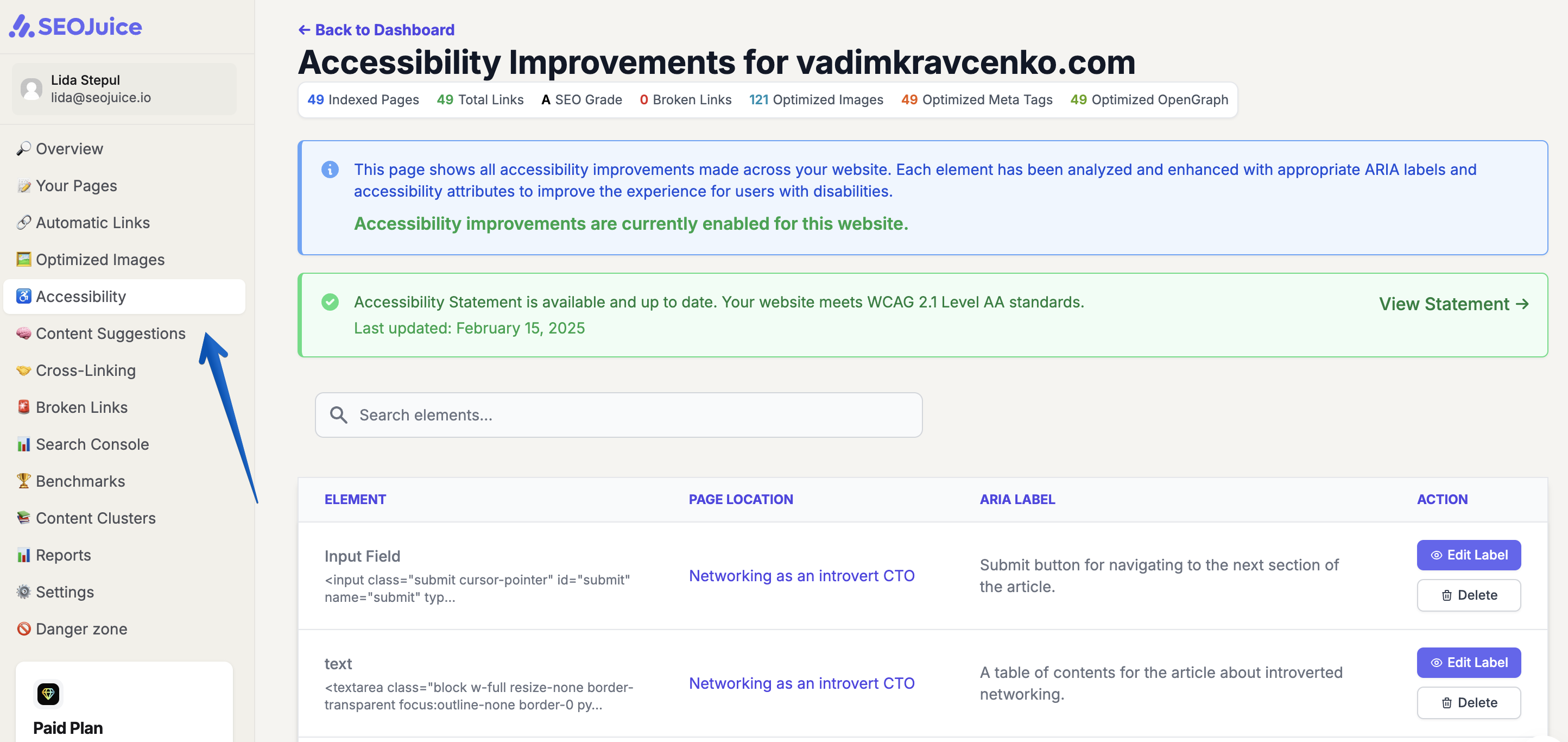
One of SEOJuice’s key offerings is a feature designed to enhance website accessibility. The platform automatically scans sites, detects accessibility issues, and applies real-time fixes to help achieve WCAG 2.1 Level AA compliance standards, thereby creating a more inclusive experience for people with disabilities.
Why Accessibility Matters
- Legal Compliance — Helps avoid legal risks by meeting ADA and Section 508 requirements.
- Better User Experience — Users with disabilities can navigate and interact with greater ease.
- SEO Benefits — Accessible sites tend to rank better and improve engagement metrics.
- Wider Reach — Expands potential audience, including customers with accessibility needs.
Key Accessibility Features
- ARIA Enhancements — Makes buttons, forms, and interactive elements keyboard-friendly and screen-reader compatible.
- Clear Labels — Adds descriptive labels to support screen reader navigation.
- Focus Management — Improves keyboard navigation with visible focus indicators.
- Skip Navigation — Adds skip-to-content links for keyboard users.
- Smarter Internal Links — Improves navigation and link relevance for both users and search engines.
- Content Optimization — Enhances readability and structure for better accessibility.
- Daily Scans — Automatically detects and fixes accessibility issues.
- Real-Time Fixes — Applies improvements without altering site code, ensuring platform compatibility.
Accessibility Scoring
SEOJuice evaluates your site across six WCAG 2.1 criteria:
| Check | Weight | What It Measures |
|---|---|---|
| Alt Text (1.1.1) | 20% | All images have descriptive alt attributes |
| Form Labels (1.3.1) | 20% | Form inputs have associated labels |
| ARIA Labels (4.1.2) | 20% | Interactive elements have accessible names |
| Headings (1.3.1) | 15% | Logical H1–H6 hierarchy, no skipped levels |
| Link Text (2.4.4) | 15% | Links have descriptive anchor text (not “click here”) |
| Contrast (1.4.3) | 10% | Text meets 4.5:1 contrast ratio (3:1 for large text) |
Your overall accessibility score is a weighted composite of these checks, scored 0–100.
How to Review Your Accessibility Improvements
The Accessibility Dashboard has three tabs:
- Overview — Your overall accessibility score with trends over time
- Issues & Guidance — Specific issues found with WCAG references and fix recommendations
- Auto-Fixed Elements — A list of fixes SEOJuice has already applied automatically
Configuring Accessibility Features
You can control accessibility behavior from your website settings:
Disabling Specific Fixes
If SEOJuice accessibility fixes conflict with your site’s design (for example, focus outlines overriding your custom CSS):
- Go to your website Settings
- Find the Accessibility optimization setting
- Set it to Off to disable all accessibility fixes, or to Suggest to see recommendations without auto-applying them
Focus Outlines
SEOJuice adds visible focus outlines to interactive elements for keyboard accessibility. If these outlines clash with your design:
- Set Accessibility to Off or Suggest mode to stop automatic injection
- Note: Removing the SEOJuice script from your site immediately stops all injected fixes, including focus outlines
What’s Configurable vs. Core
- Configurable (controlled by your optimization mode): Focus outlines, ARIA label injection, skip navigation links, form label fixes
- Always active (when script is loaded): Accessibility scanning and scoring in your dashboard
Generating an Accessibility Statement
SEOJuice can generate an accessibility statement for your website, documenting your compliance efforts. Access this from the Accessibility Dashboard.
By leveraging SEOJuice’s automated tools, users can ensure their websites are inclusive, legally compliant, and search engine optimized without requiring additional development resources.