
User Access Control
This feature enables streamlined team management by controlling who can access what within your account.
Role-Based Permissions
Owner — Possesses complete account authority, encompassing billing administration and personnel oversight.
Admin — Enjoys unrestricted access across all websites within the account.
Viewer — Has restricted permissions limited to designated websites you specify.
How to Invite Users and Assign Access
Step 1: Log in to your SEOJuice account
Access your account using your credentials.
Step 2: Go to Settings
Navigate to the settings section from your dashboard.
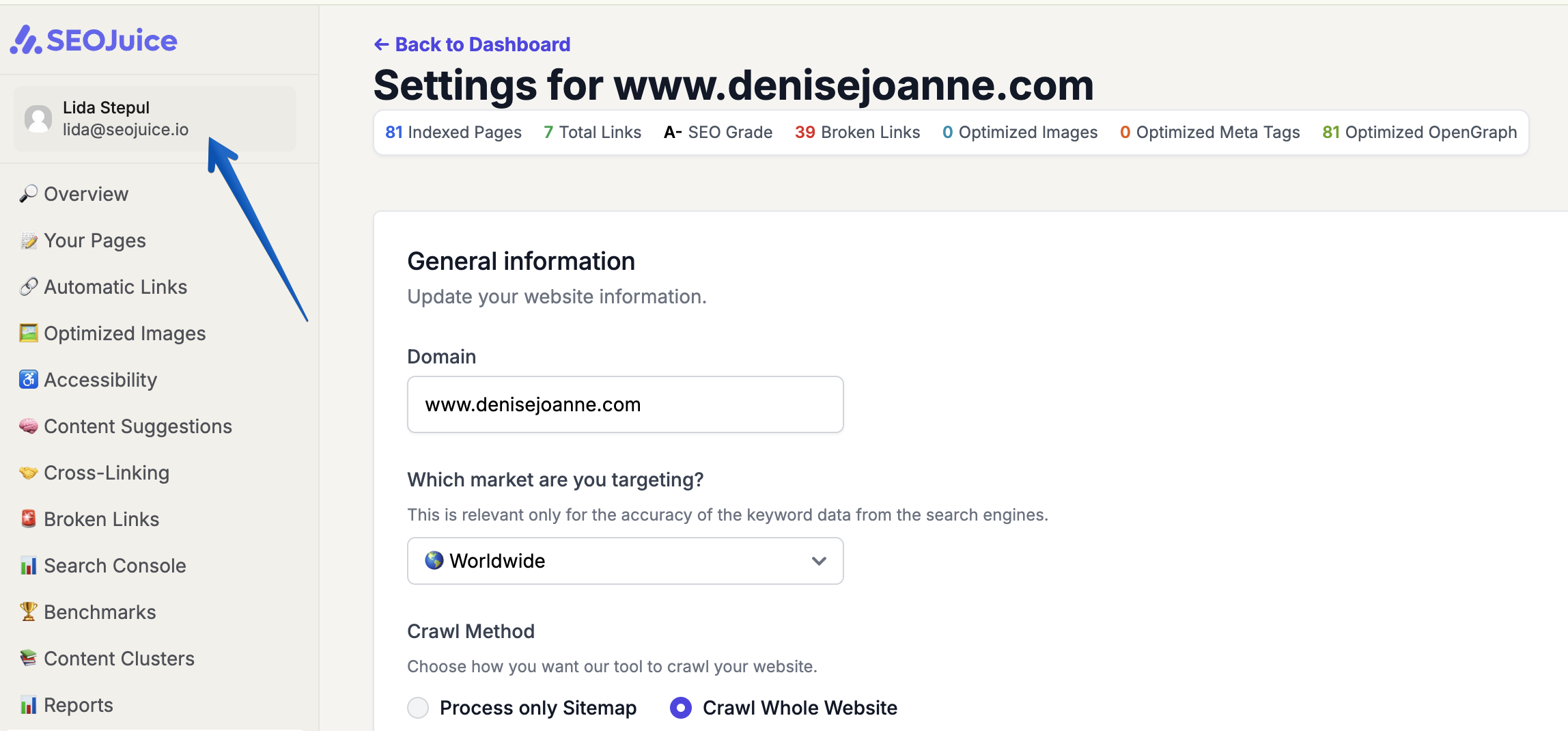
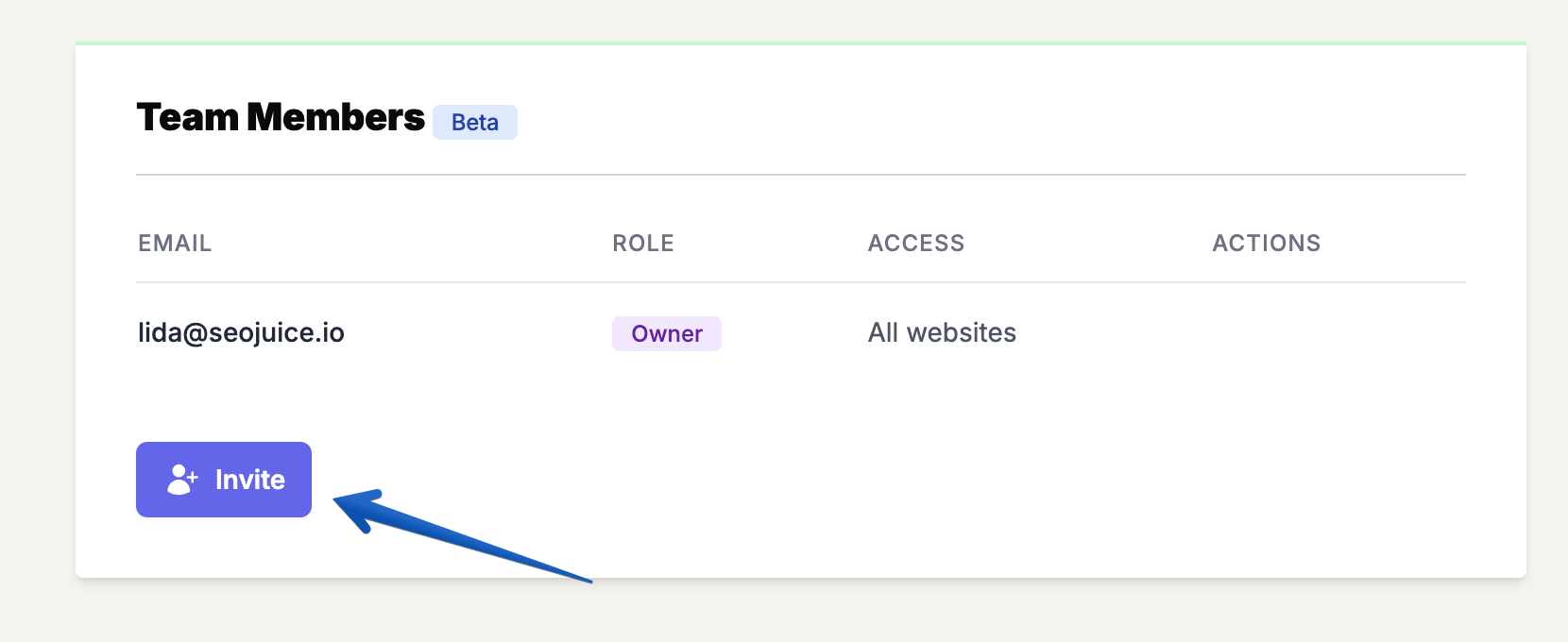
Step 3: Scroll Down to Team Members and Click Invite
Locate the Team Members section and select the invite option.
Step 4: Enter the user’s email address
Input the email address of the person you wish to add.
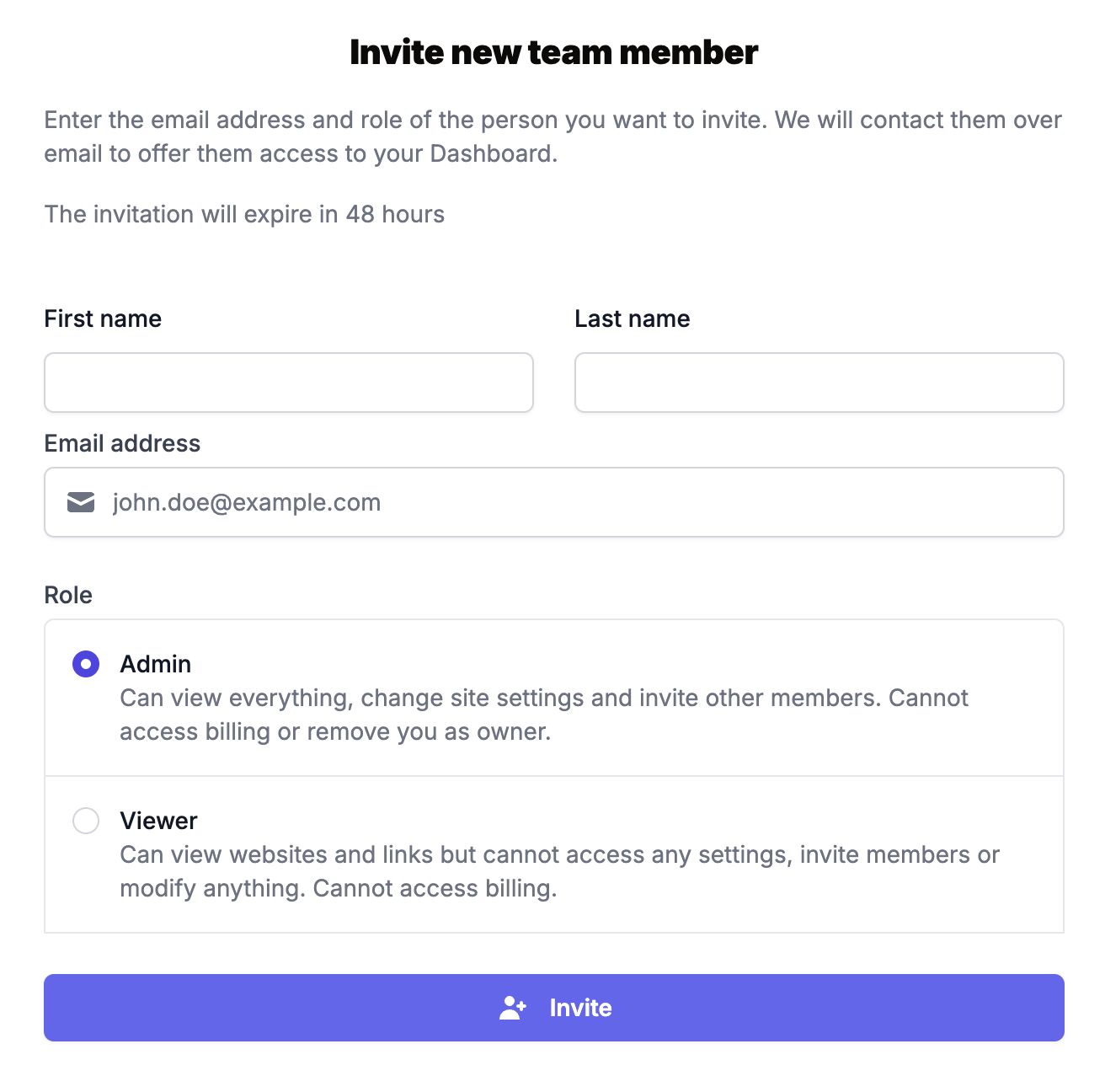
Step 5: Select a role
Choose either:
- Admin (for full access to all websites)
- Viewer (for selective website access)
Step 6: Assign Website Access (For Viewers Only)
When selecting Viewer, a website list appears. Check boxes next to the specific websites this person should access.
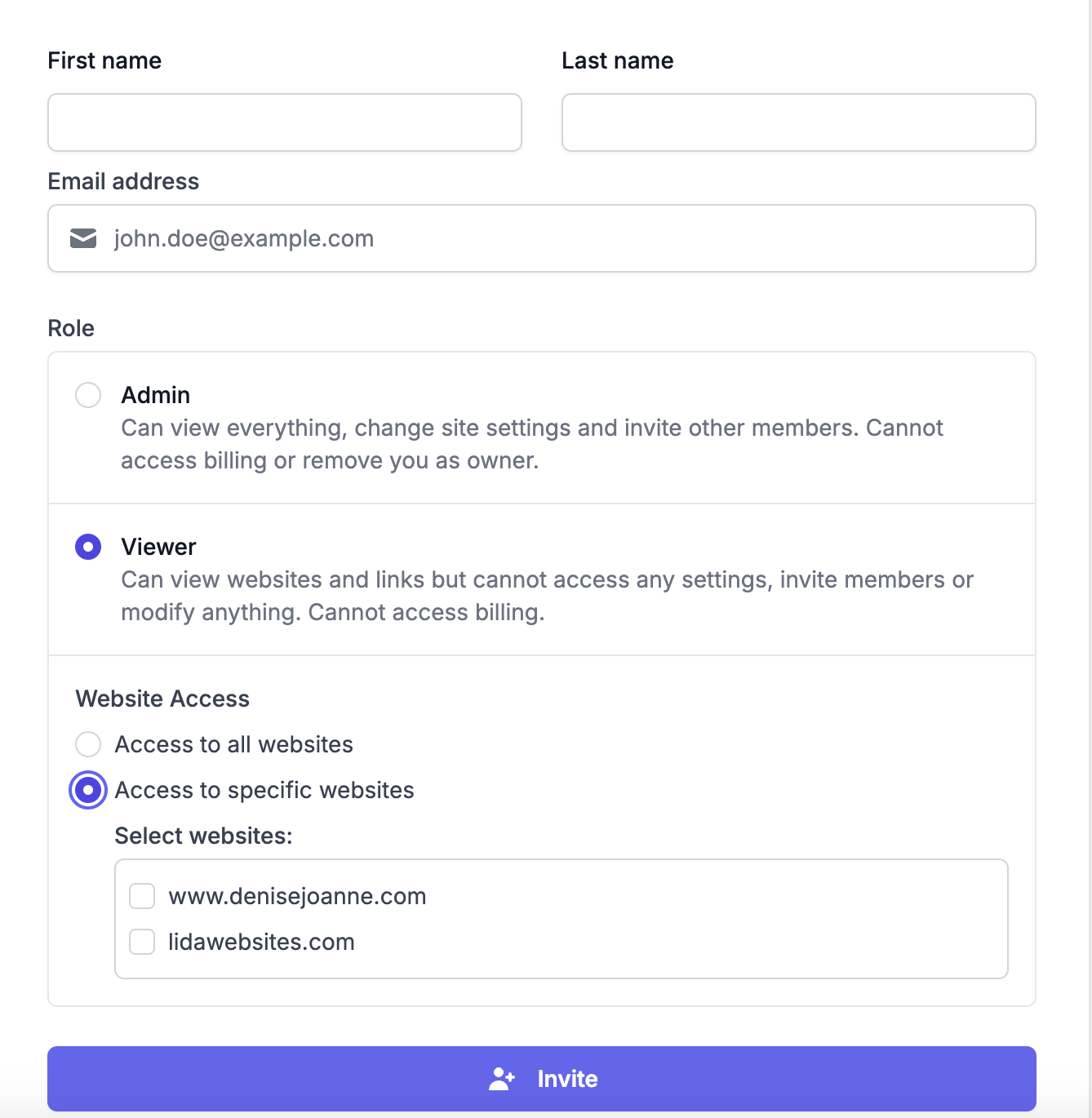
Step 7: Click Invite
Confirm the invitation to send it to the new team member.
Support
For questions or assistance, reach out to the support team at lida@seojuice.io.