
Shopify Integration
Overview
SEOJuice offers assistance with setup if you prefer not to handle the installation yourself. You can invite support as a collaborator through Shopify’s official method for secure access.
Installation Guide
Step 1: Access Theme Settings
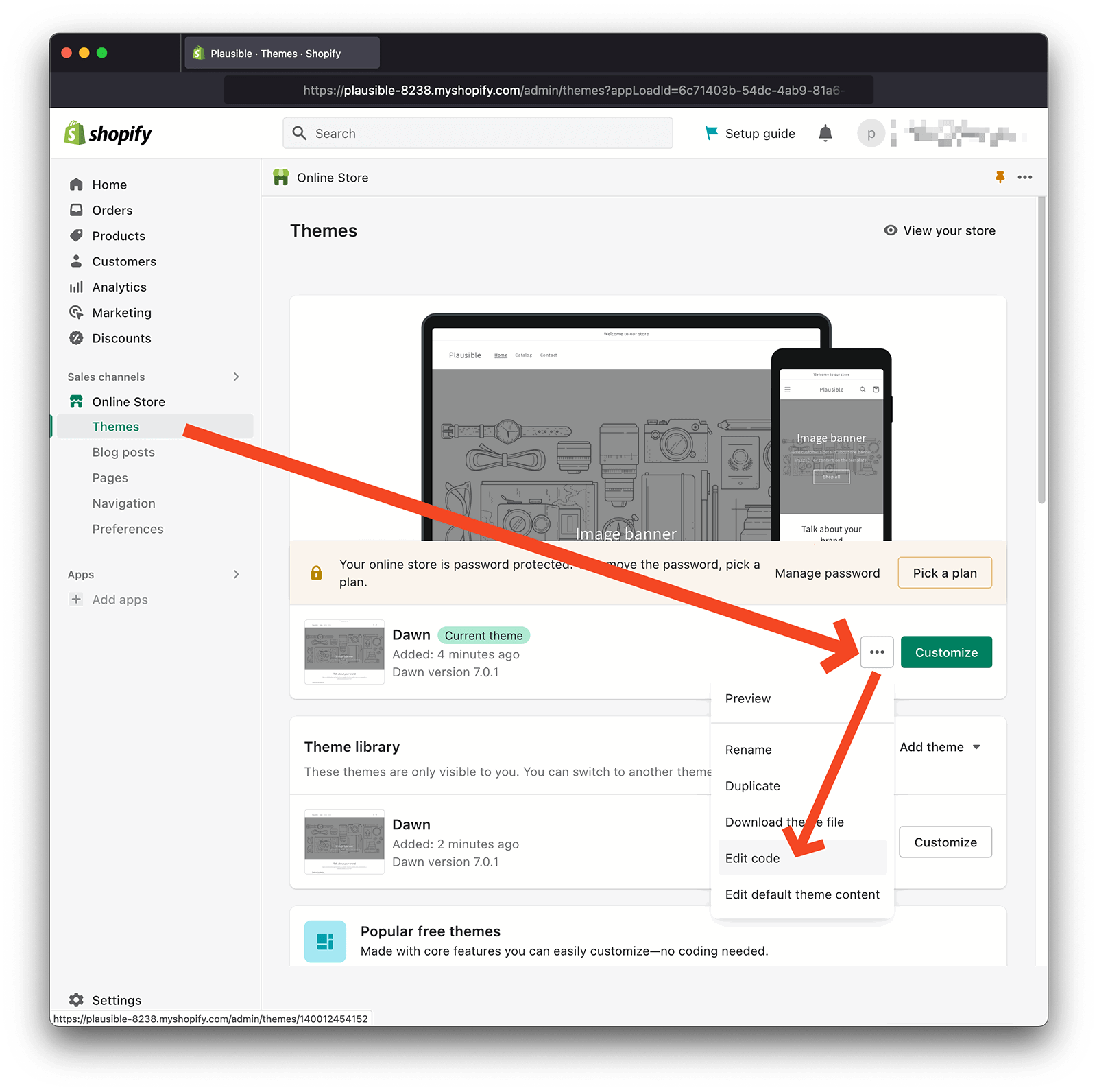
Log into your Shopify account and navigate to Sales Channels > Online Store > Themes in the left sidebar.
Step 2: Edit Theme Code
Click the hamburger menu icon next to your active theme and select Edit code from the dropdown options.
Step 3: Add the Script
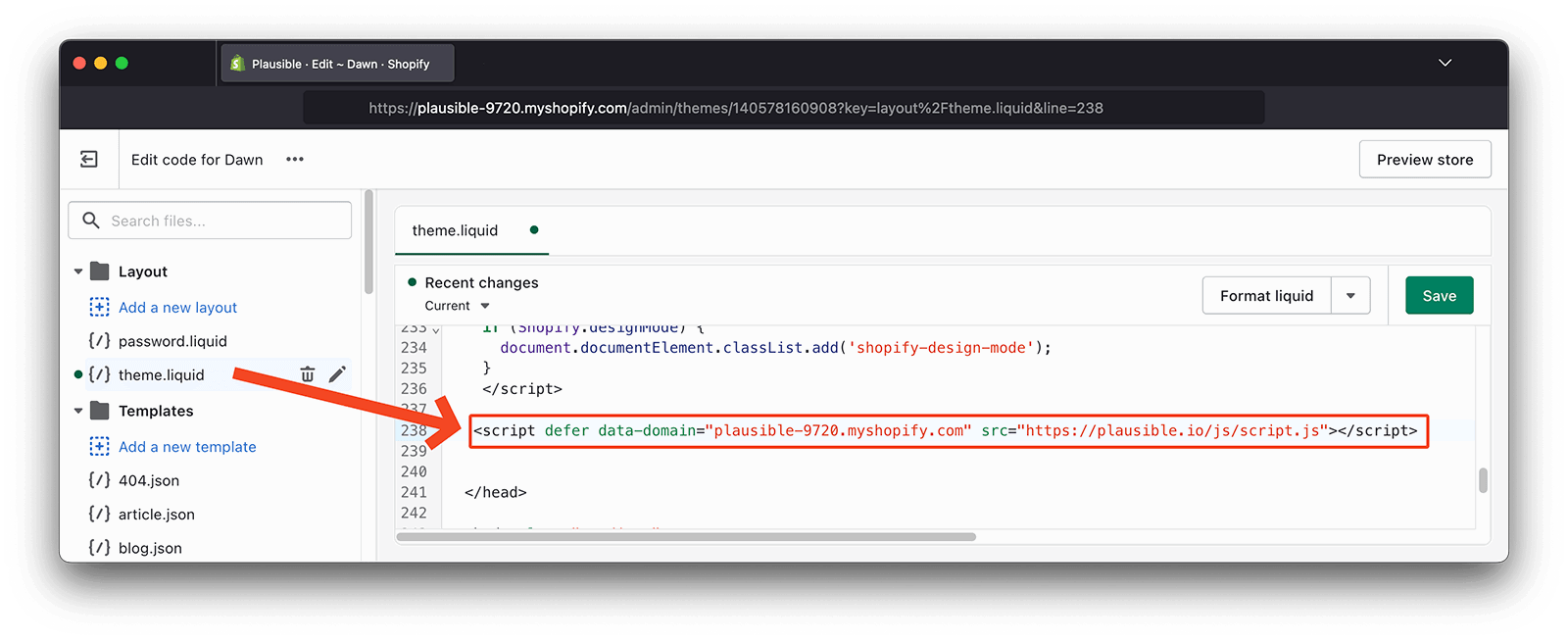
In the Layout folder, locate and open your theme.liquid file. Paste this code snippet into the <footer></footer> section:
<script type="text/javascript" src="https://cdn.seojuice.io/suggestions.v1.js" defer></script><noscript><img src="https://smart.seojuice.io/pixel" width="1" height="1" alt="" style="display:none"></noscript>Step 4: Publish Changes
Click Save Changes to deploy your modifications to your store.
Verification
Visit your Shopify site and view a page that SEOJuice has analyzed. You should see automatic keyword links and replacements displayed, confirming the script is functioning properly.