
Webflow Integration
To add custom code before the closing </body> tag of an individual page:
- Select your website and click on Settings.
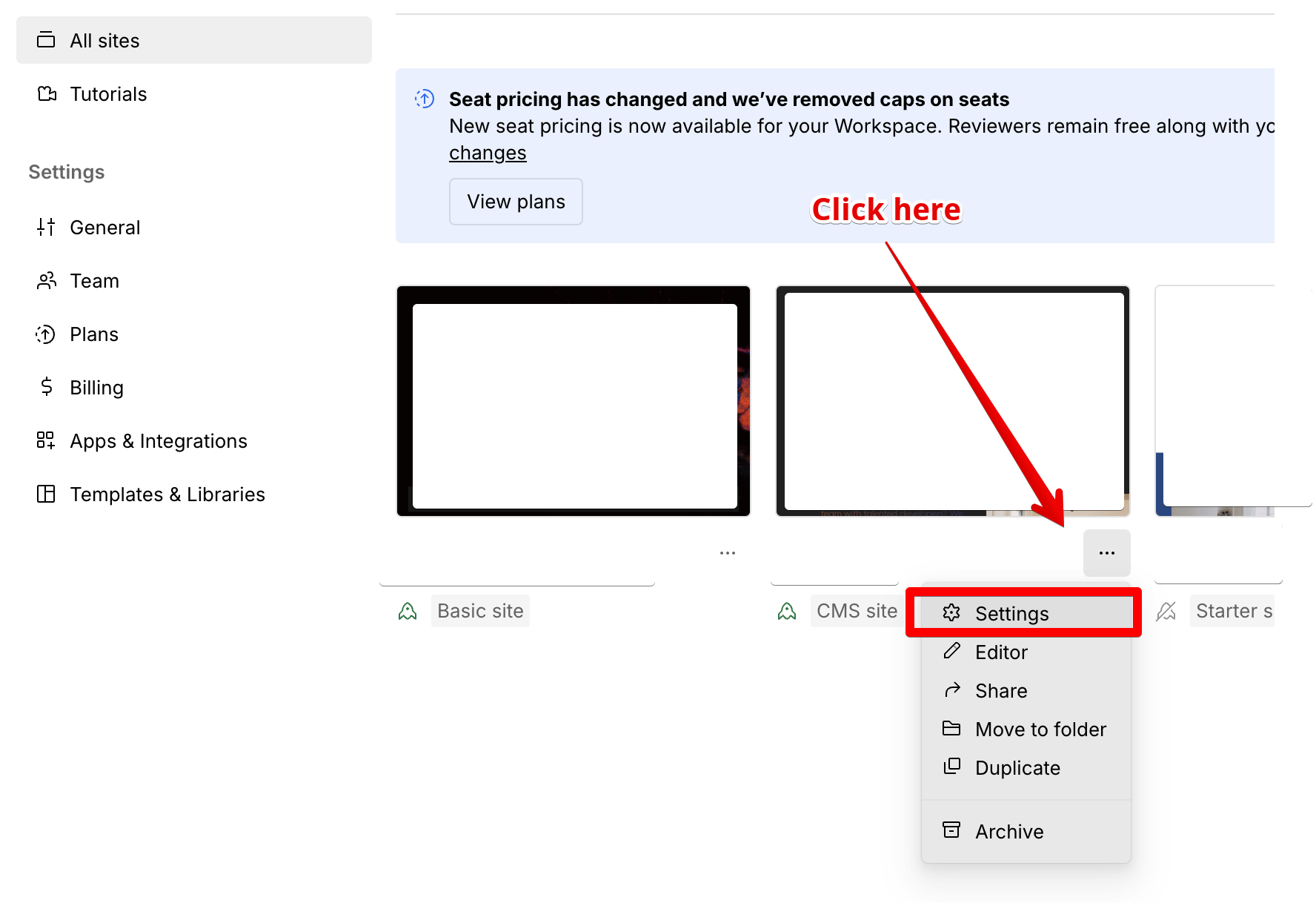
- Open your site in the Designer.
- Open Page settings for the page where you’d like to add your code.
- Add the following code to the Before
</body>tag section under Custom code:
<script type="text/javascript" src="https://cdn.seojuice.io/suggestions.v1.js" defer></script><noscript><img src="https://smart.seojuice.io/pixel" width="1" height="1" alt="" style="display:none"></noscript>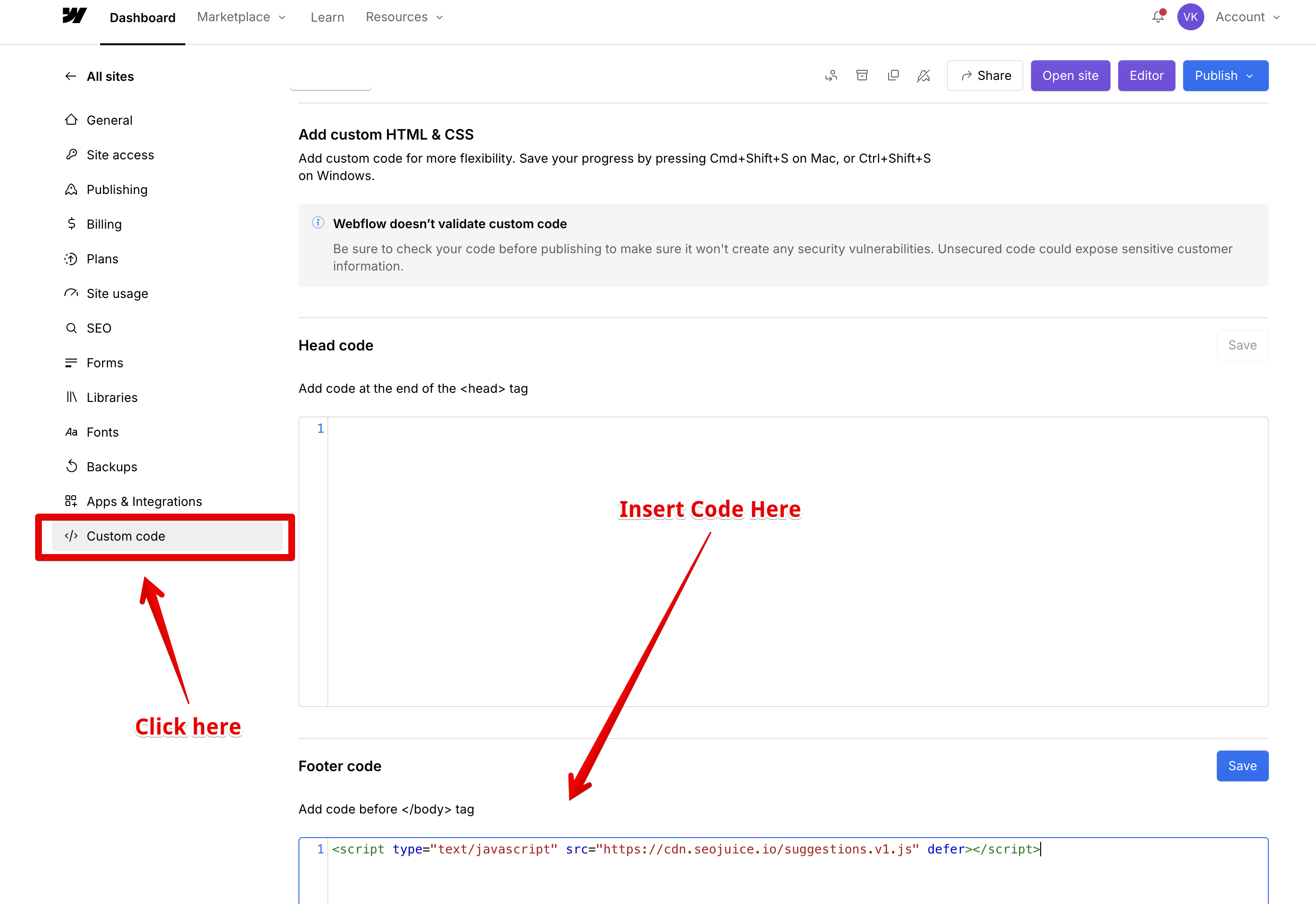
- Save your changes.