
How do I exclude pages or include only the blog?
SEOJuice allows you to manage which pages participate in your internal linking strategy through two configuration options.
Include Only Specific Paths
This approach limits internal linking to particular website sections, such as your blog.
Steps:
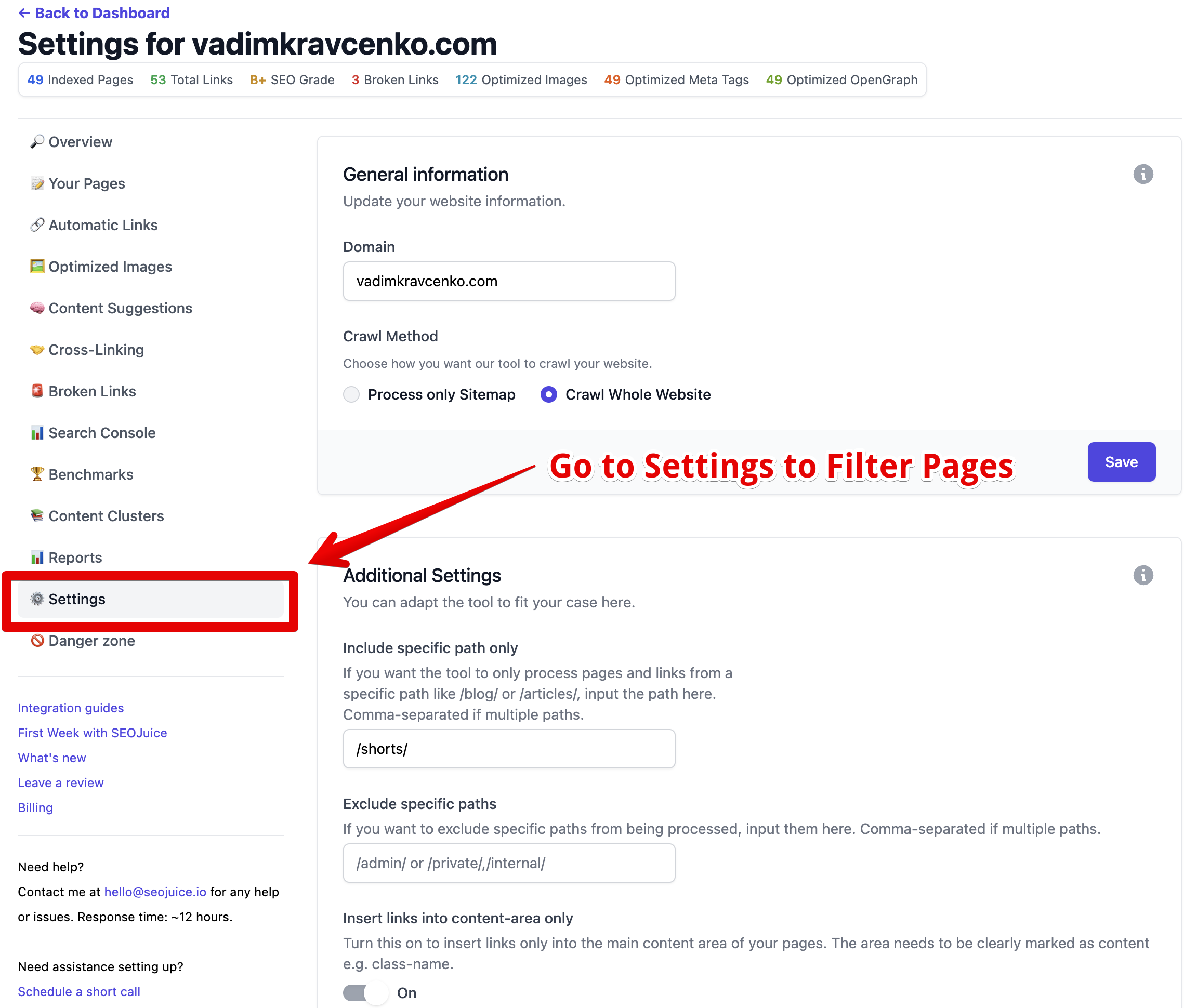
- Access your website settings
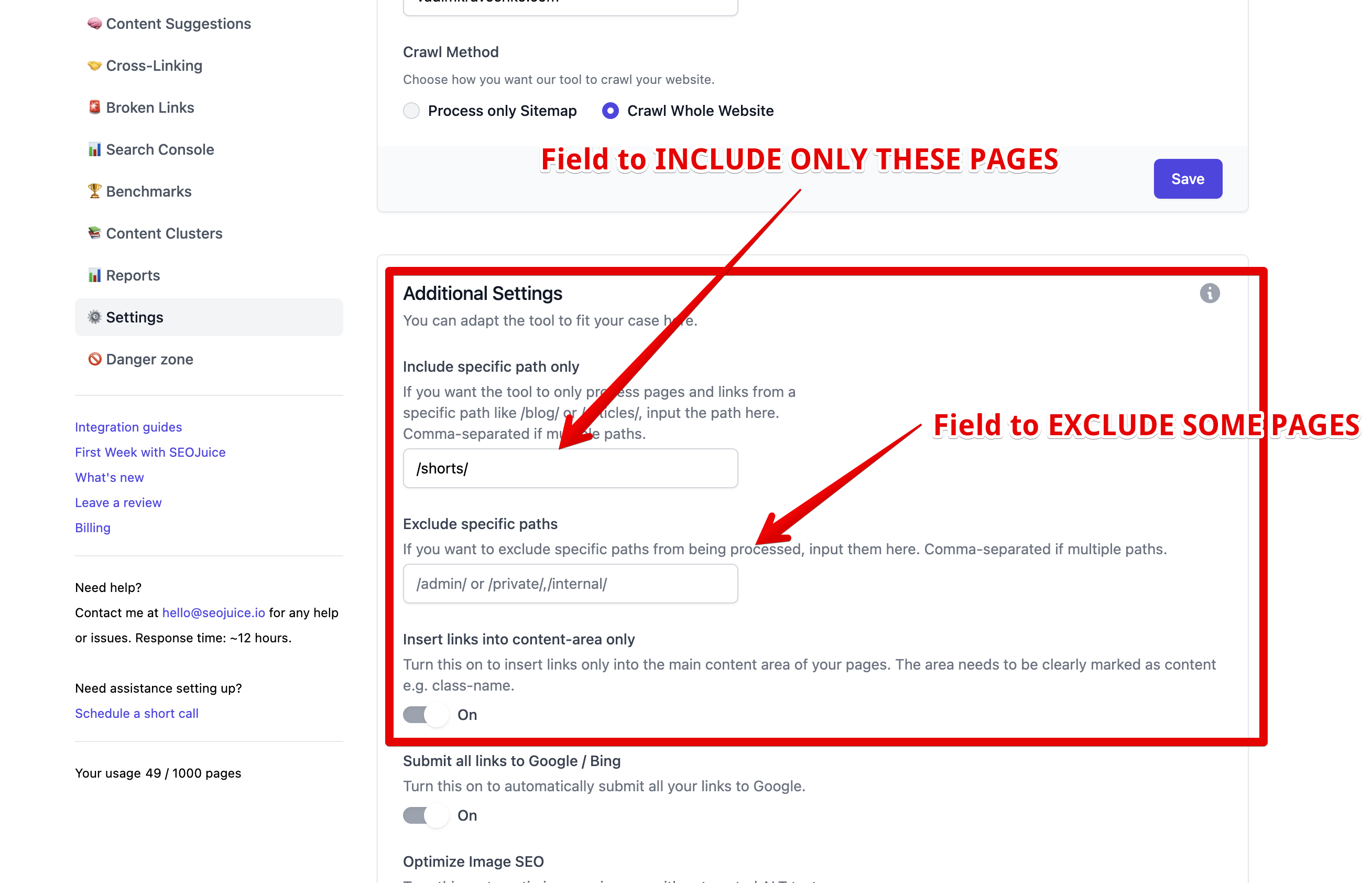
- Locate the Include Only Paths field
- Enter desired paths separated by commas, for example:
/blog/, /articles/, /news/
Important considerations:
- Omit your domain name
- Don’t include
http://orhttps:// - Paths are case-insensitive
- Maximum 200 character limit total
Exclude Specific Paths
This method prevents certain pages from participating in your internal linking strategy.
Steps:
- Go to your website settings
- Find the Exclude Paths field
- Enter paths to exclude, separated by commas, for example:
/checkout/, /cart/, /account/, /login/
Important considerations:
- Omit your domain name
- Don’t include
http://orhttps://
Examples
Blog-only linking: /blog/
Exclude account and transaction areas: /account/, /login/, /register/, /checkout/, /cart/
Include multiple content sections: /blog/, /kb/, /docs/