
How to receive weekly / monthly reports
SEOJuice enables users to configure automated email reports containing SEO performance metrics delivered on a recurring schedule.
Setting Up Reports
Weekly Reports
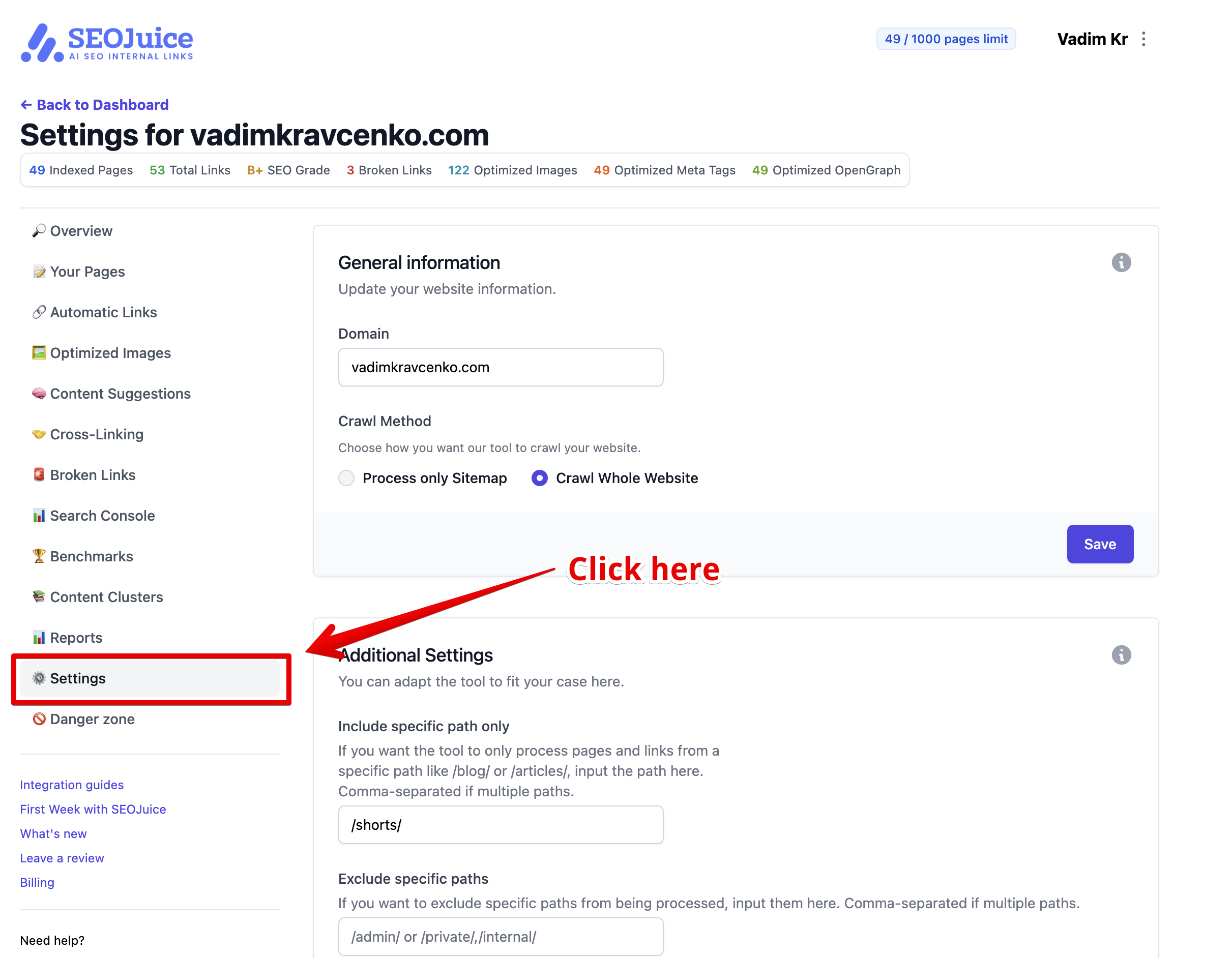
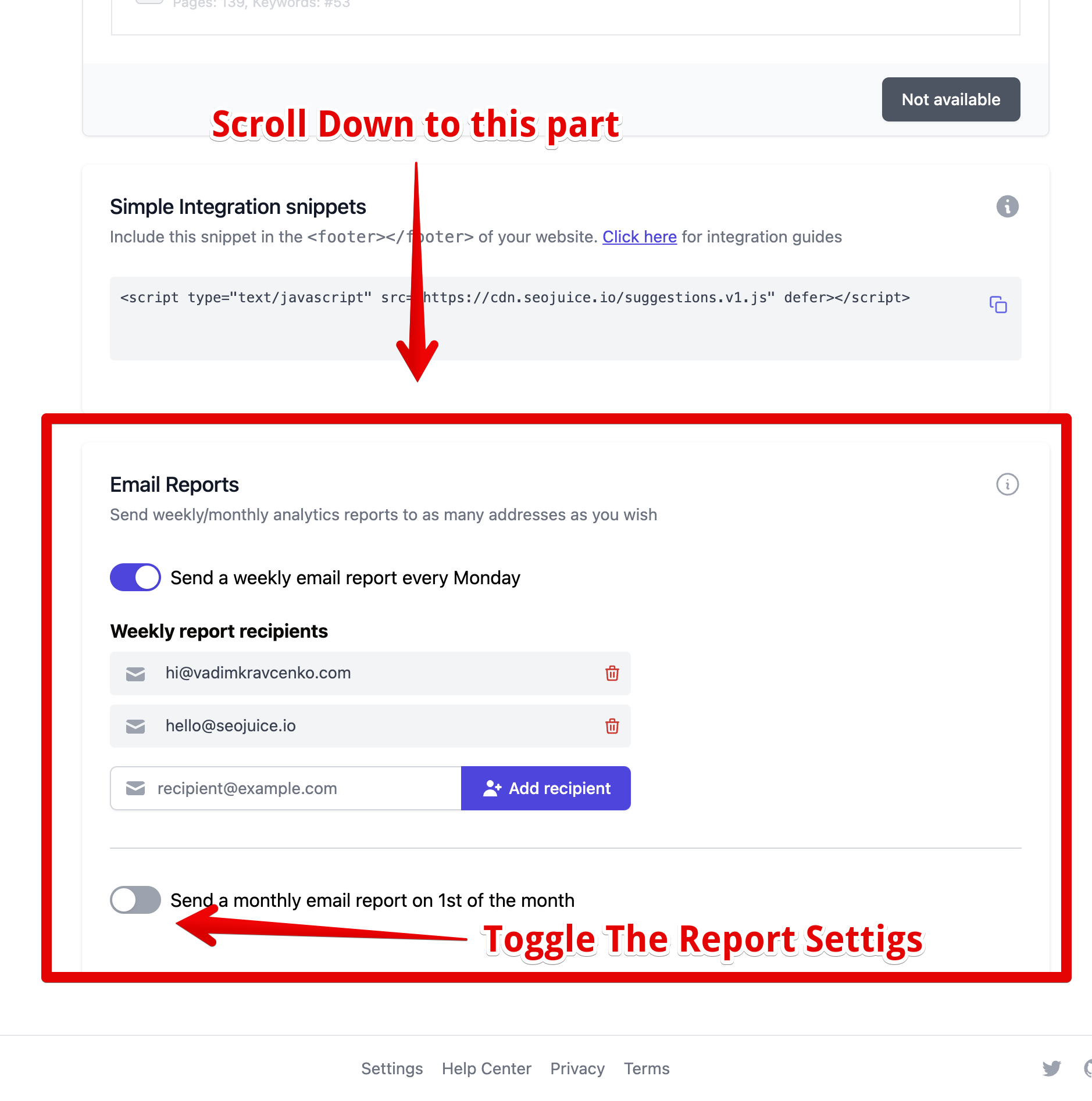
Access your website settings and locate the Email Reports section. Toggle the Send a weekly email report every Monday switch to activate this feature. Reports automatically dispatch each Monday with the previous week’s performance metrics.
Monthly Reports
In the same settings area, enable the Send a monthly email report on 1st of the month switch. Reports then automatically send on the first day of each month containing the prior month’s data.
Managing Recipients
Adding Recipients
- Find the email input field in either the weekly or monthly section
- Enter a recipient’s email address
- Click the Add recipient button
Important limitations:
- Maximum 5 email addresses per report type
- Each address can only be added once
- Email must be valid
Removing Recipients
Locate the recipient in the list and click the red trash icon adjacent to their email address. The recipient removes immediately.
Report Contents
Reports include comprehensive SEO metrics:
- New pages and content
- Link building progress
- Technical SEO improvements
- Content optimization metrics
- Overall SEO performance
- Recommended actions
Important Notes
- Different recipient sets can be configured for weekly versus monthly reports
- Reports only send when new activity exists to report
- Changes take effect immediately
- All modifications save automatically
- An active subscription is required for this feature