Fix Broken Links and Assets
By the end of this guide, you’ll know how to find and fix broken assets across your site.
Prerequisites: Apply on-page optimizations to understand SEOJuice’s change workflow.
Step 1: Open broken assets
Navigate to Optimize > Broken Assets from the sidebar. You’ll see every broken link, image, and resource SEOJuice has detected during crawling.
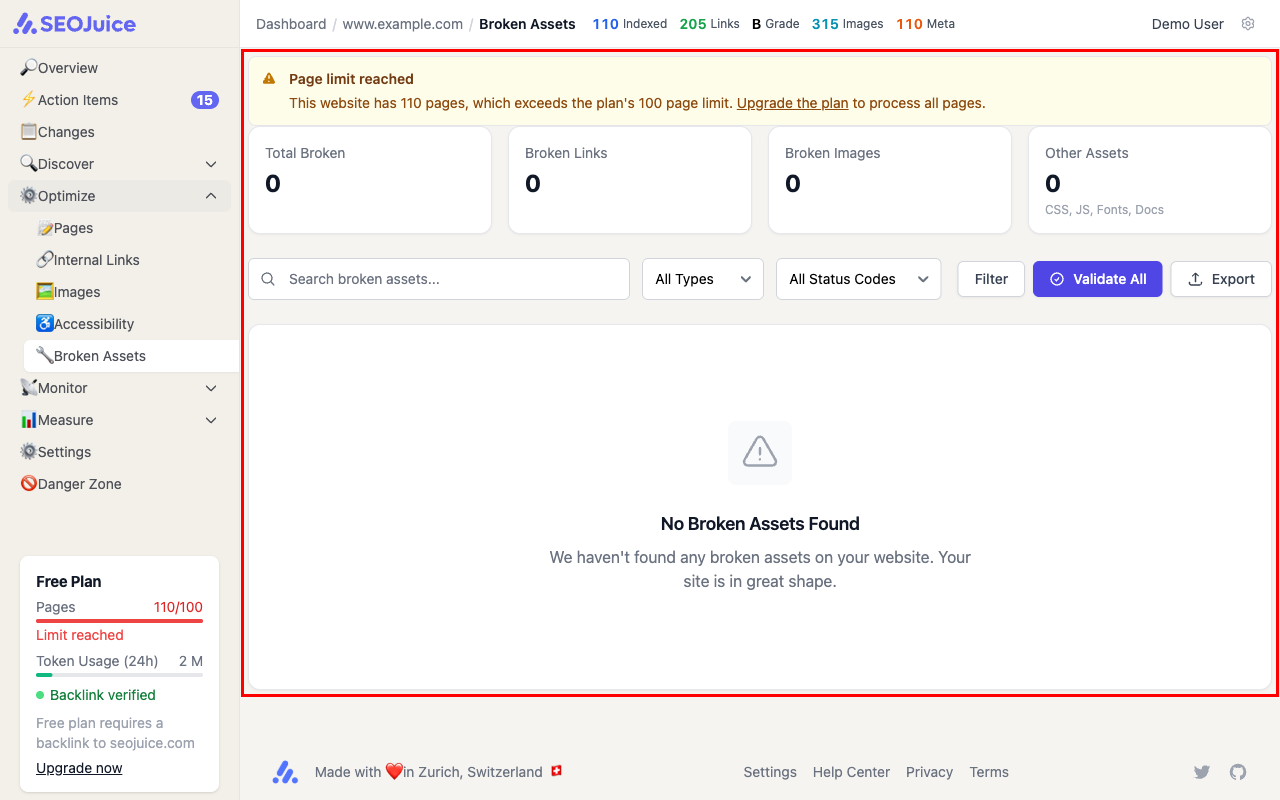
Each broken asset shows:
- URL — the broken resource
- Status code — 404 (not found), 301/302 (redirect), or other error
- Referring pages — which pages on your site link to this broken resource
- Type — link, image, script, or stylesheet
Step 2: Fix or dismiss
For each broken asset, you can:
- Fix — update the link on your site to point to the correct URL
- Dismiss — if the broken link is intentional or irrelevant, dismiss it so it doesn’t show up again
SEOJuice re-checks broken assets on each crawl. Once you fix a broken link, it automatically moves to the resolved list.
What to expect
Broken links accumulate naturally as external sites change and internal pages get reorganized. Check this page periodically — especially after site migrations or major content changes. Fixing broken links improves both user experience and search engine crawl efficiency.
Next step: Improve internal linking to distribute authority across your pages.