
Detect Content Decay
By the end of this guide, you’ll know how to spot pages losing traffic before it’s too late to recover.
Prerequisites: Optimize for local search or any Grow & Compete guide — you should have your growth strategy in place before monitoring for decay.
What is content decay?
Content decay happens when a page that once performed well starts losing traffic, rankings, or both. Common causes include outdated information, new competitors, changing search intent, or Google algorithm updates. SEOJuice detects these declines automatically through content signals.
Step 1: Open content signals
Navigate to Discover > Publishing > Signals from the sidebar. This page shows all content signals SEOJuice has detected across your site.
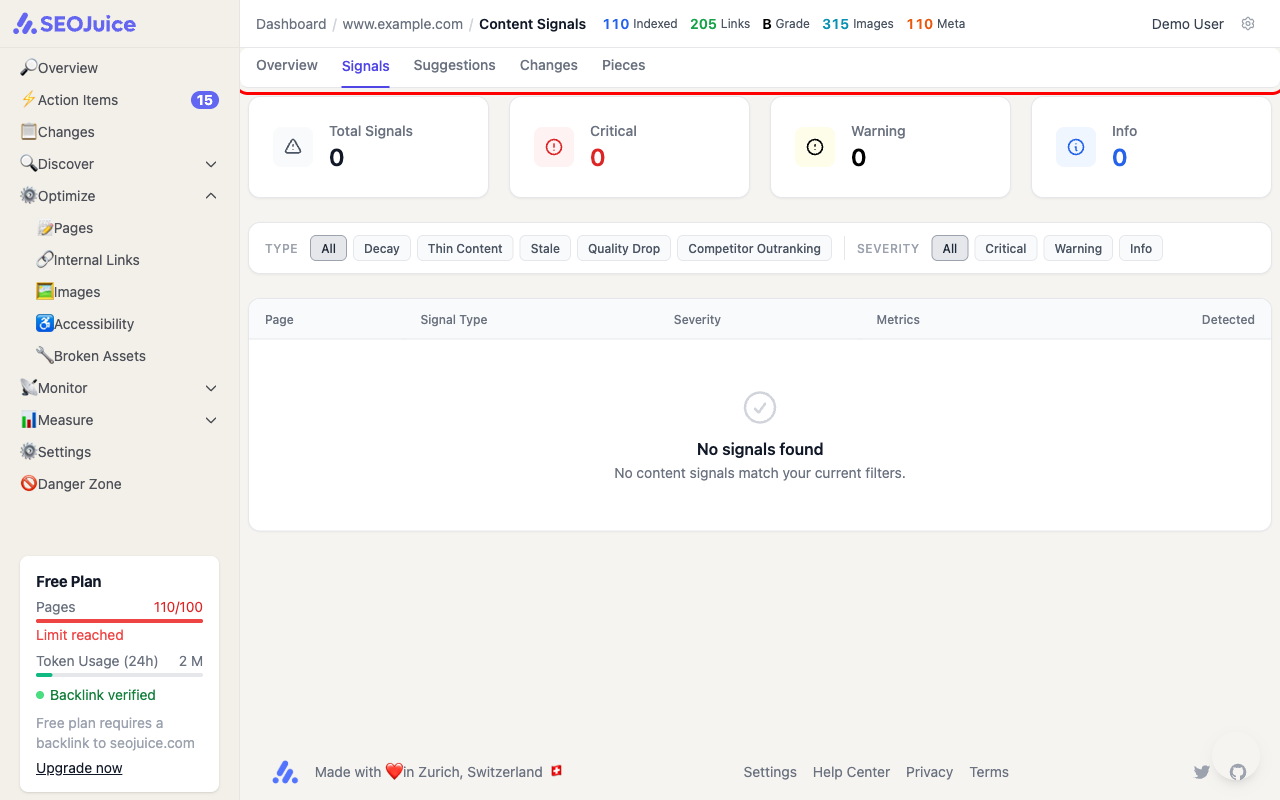
Each signal has a type that tells you what’s happening:
- Decay — page is losing traffic over time
- Thin Content — page has too little content to compete
- Stale — page hasn’t been updated in a long time
- Quality Drop — content quality score has declined
- Competitor Outranking — a competitor has overtaken you for a key term
Step 2: Prioritize by severity
Filter signals by type using the tabs at the top. Focus on:
- High-severity decay signals — pages with the steepest traffic drops
- High-traffic pages — a 30% drop on a page with 1,000 monthly visits matters more than the same drop on a page with 10 visits
- Commercial pages — product and service pages directly affect revenue
Step 3: Take action on a signal
Click any signal to see details. SEOJuice shows you:
- The traffic trend that triggered the signal
- Suggested fixes (content refresh, internal linking, keyword targeting)
- Option to generate a content refresh automatically
For decay signals, the most effective fix is usually a content refresh — updating the page with current information, adding new sections, and improving the depth of coverage.
What to expect
Content signals are generated automatically after each crawl and data sync. New signals appear as SEOJuice detects changes in your traffic patterns. Signals resolve automatically when the underlying issue is fixed — for example, a decay signal closes when traffic recovers above its baseline.
Next step: Monitor AI brand mentions to track how AI search engines reference your brand.