
Add Your First Website
By the end of this guide, your website will be added to SEOJuice and queued for its first crawl.
Prerequisites: A SEOJuice account. Sign up at seojuice.com if you haven’t already.
Step 1: Open your dashboard
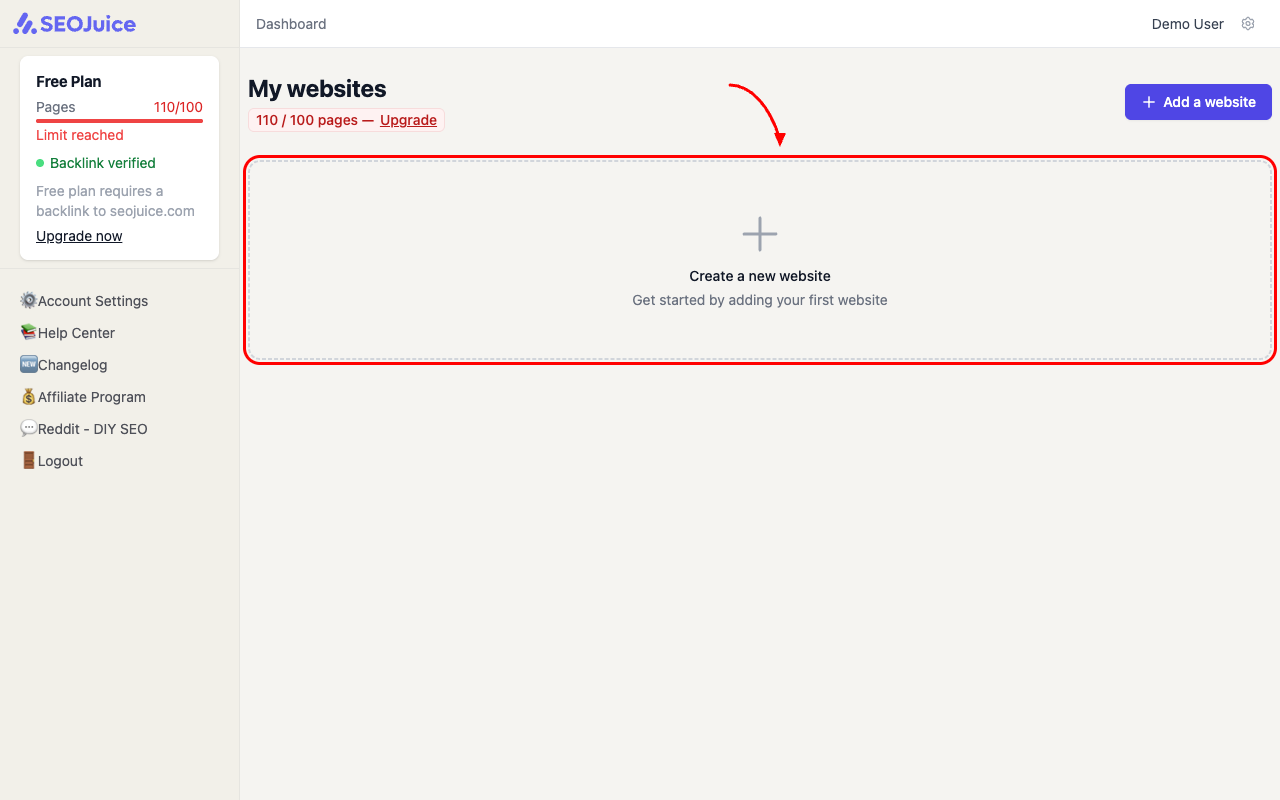
After logging in, you’ll land on the dashboard. Click the Create a new website card (or the Add a website button in the top right).
Step 2: Configure your website
You’ll see a setup wizard with four steps. On the first screen, fill in:
- Your domain — type it exactly as users visit it (e.g.,
yoursite.comorwww.yoursite.com) - Target market — pick your primary audience region. This calibrates keyword data accuracy.
- Deploy mode — choose how SEOJuice handles optimizations. “Suggest Only” is the safest starting point. You can switch to one-click or auto-deploy later.
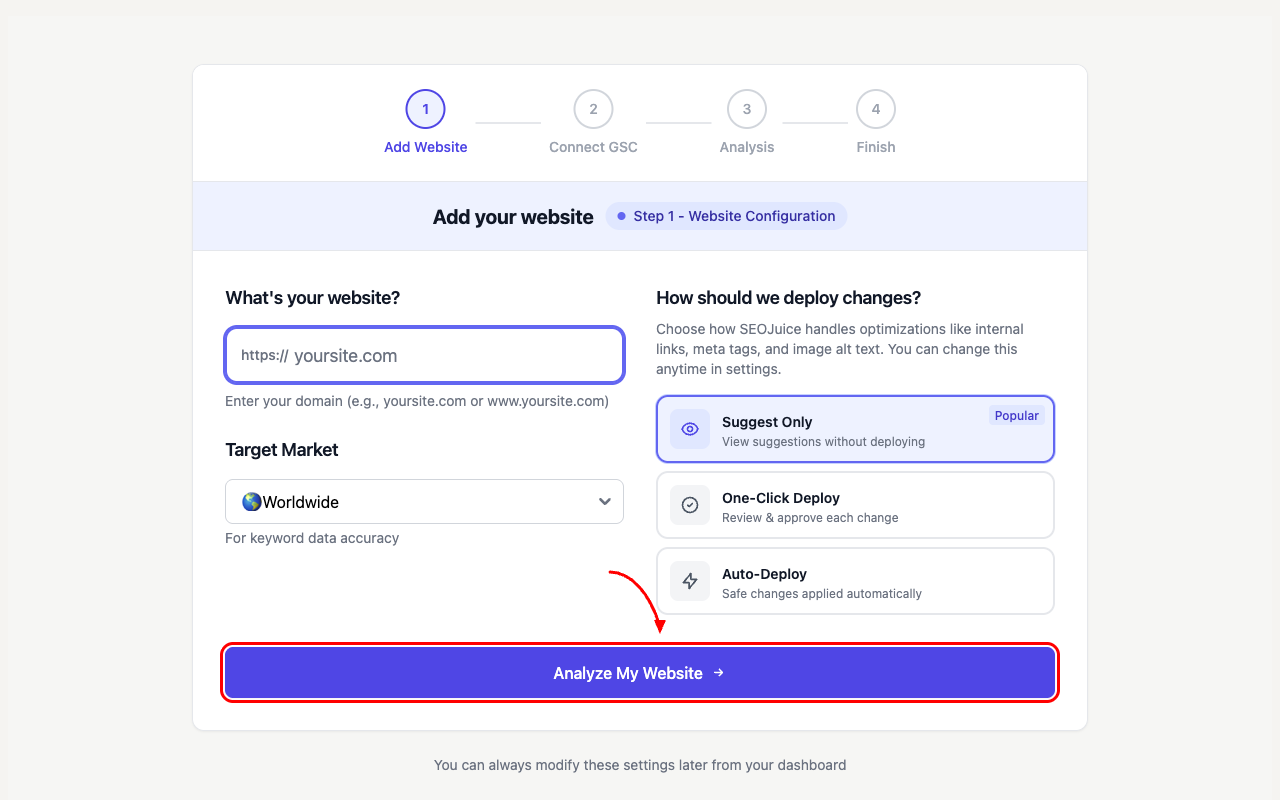
Hit Analyze My Website and SEOJuice starts crawling immediately.
Step 3: Your dashboard populates
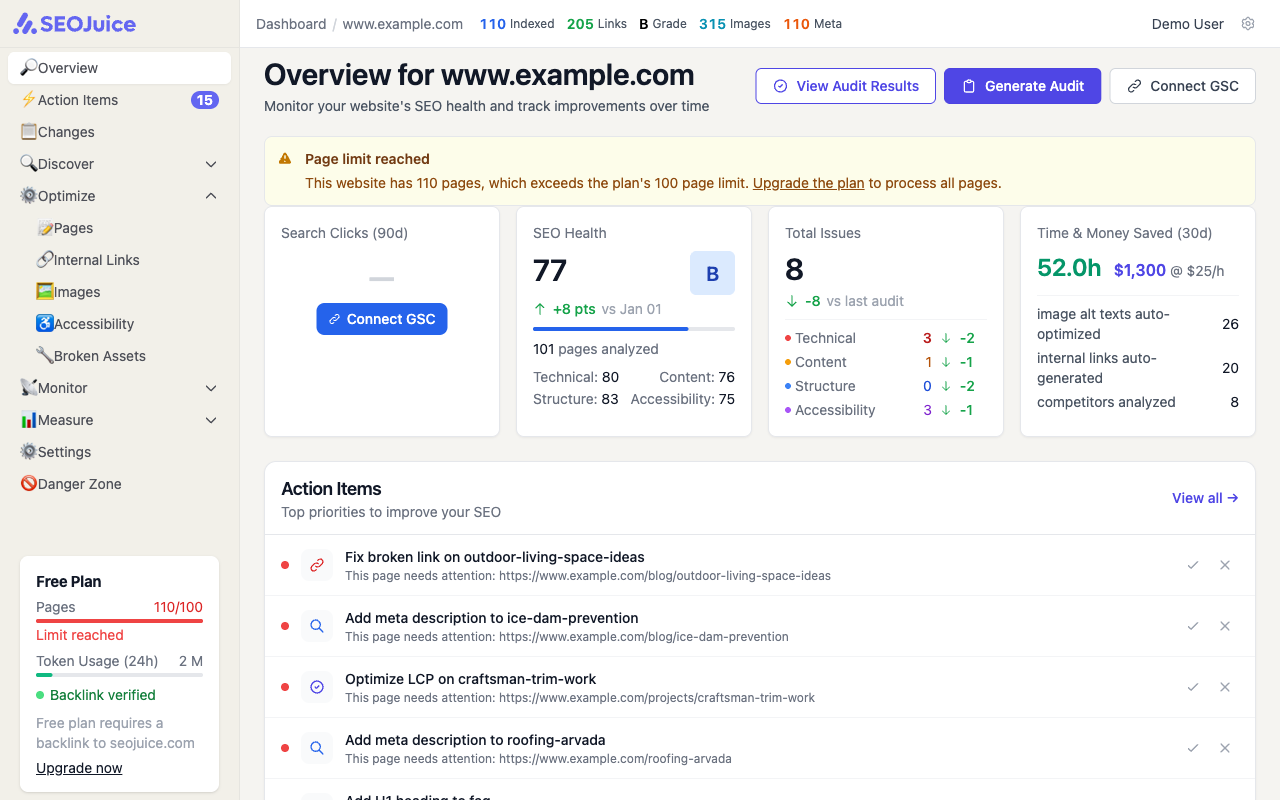
Once the crawl finishes, your overview page fills with real data — page count, SEO health score, issue breakdown, and action items ranked by impact.
What to expect
SEOJuice crawls every accessible page, extracts keywords, and builds a semantic map of how your content connects. Most sites finish in 2-10 minutes. Larger sites (500+ pages) can take up to an hour. Full analysis — including search console data if connected — completes within an hour for most sites.
Next step: Install the SEOJuice snippet to start receiving optimizations.