
Generate Content with AI
By the end of this guide, you’ll know how to generate AI-written content targeting your content gaps.
Prerequisites: Build topic clusters to understand your content landscape.
Step 1: Open the Publishing hub
Navigate to Discover > Publishing from the sidebar. The overview shows your content pipeline status — active signals, pending changes, suggestions, and generated articles.
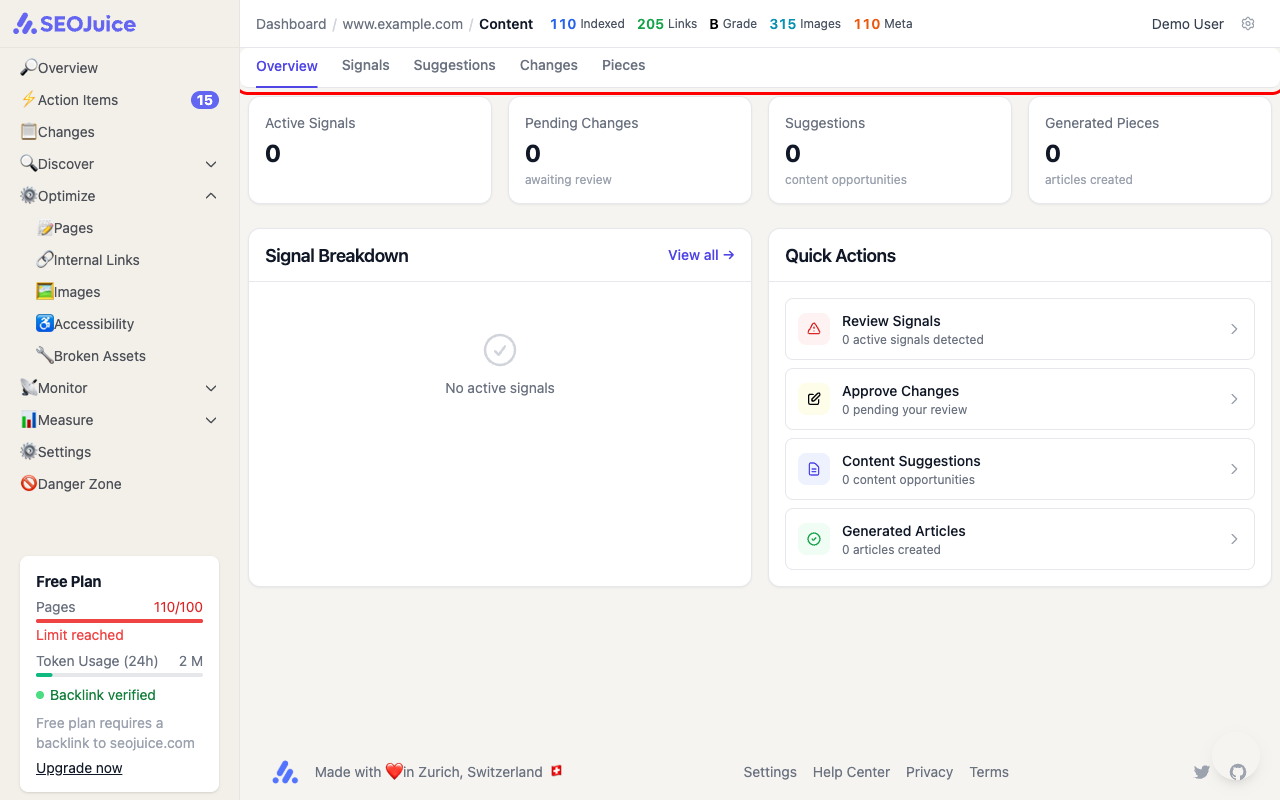
The Quick Actions panel gives you direct access to:
- Review Signals — content decay and quality signals detected by SEOJuice
- Approve Changes — suggested edits waiting for your review
- Content Suggestions — new content opportunities based on gaps and trends
- Generated Articles — AI-written pieces ready for review
Step 2: Review content suggestions
Click Content Suggestions to see opportunities SEOJuice has identified. Each suggestion includes:
- Target keyword — the keyword to target
- Content type — article, landing page, FAQ, etc.
- Estimated impact — potential traffic gain
- Related cluster — which topic cluster this content would strengthen
Step 3: Generate and review articles
When you approve a suggestion, SEOJuice’s content pipeline generates a full article through multiple stages — research, outline, writing, fact-checking, and scoring. You can track the pipeline status on the Pieces tab.
Each generated piece goes through a review workflow:
- Draft — the AI generates the initial content
- Review — you review and edit the article
- Approved — ready for publishing
- Published — live on your site
What to expect
Content generation quality depends on the data available — topics with more competitor content and search data produce better articles. Always review AI-generated content before publishing. The pipeline tracks LLM costs per step so you can monitor spending.
Next step: Track your backlinks to monitor your off-site authority.