
Read Your SEO Report
By the end of this guide, you’ll know how to read your SEO report and identify what needs attention.
Prerequisites: Complete your first crawl so there’s data to report on.
Step 1: Open your report
From the overview page, click View Audit Results to open your latest audit report. You can also find past reports under Measure > Reports in the sidebar.
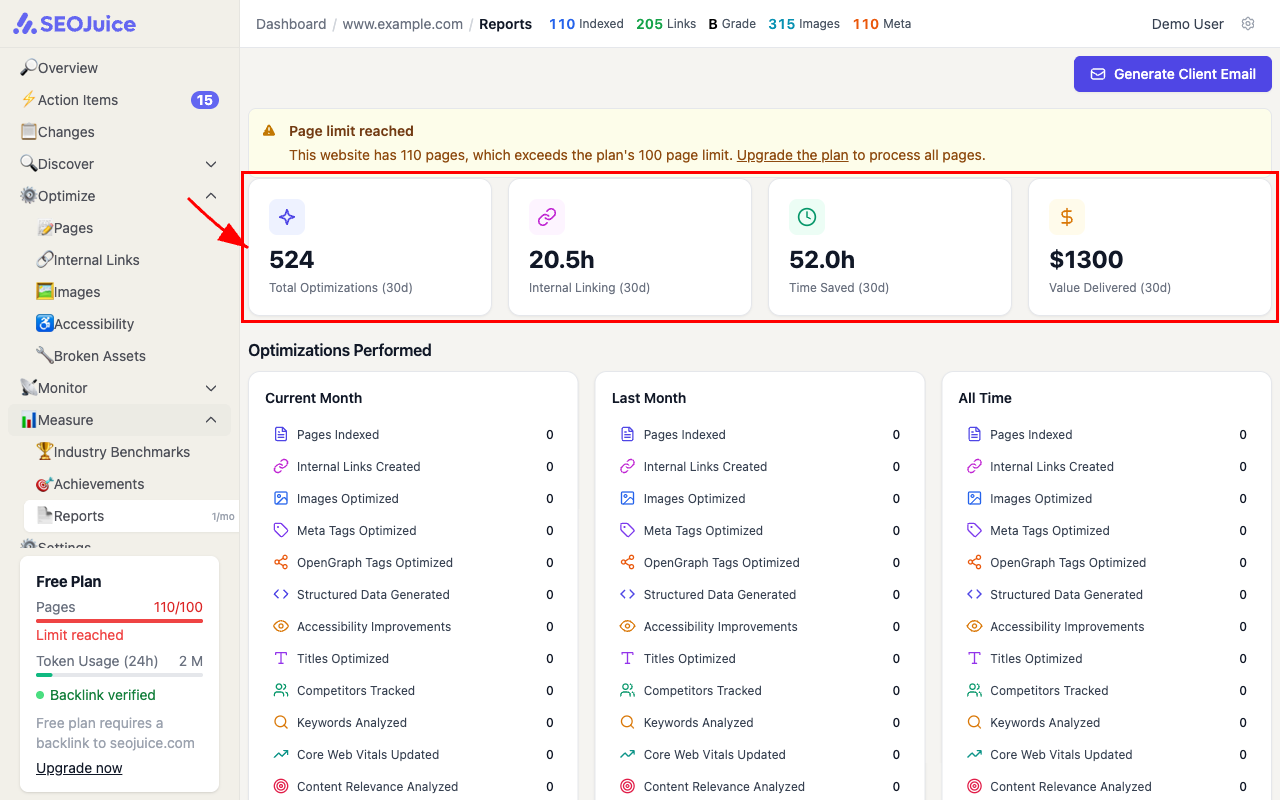
The top cards show what SEOJuice has done for you in the last 30 days — total optimizations, internal linking time, time saved, and estimated value.
Step 2: Read the score cards
The audit report breaks your site’s SEO into four dimensions, each scored 0–100 with a letter grade:
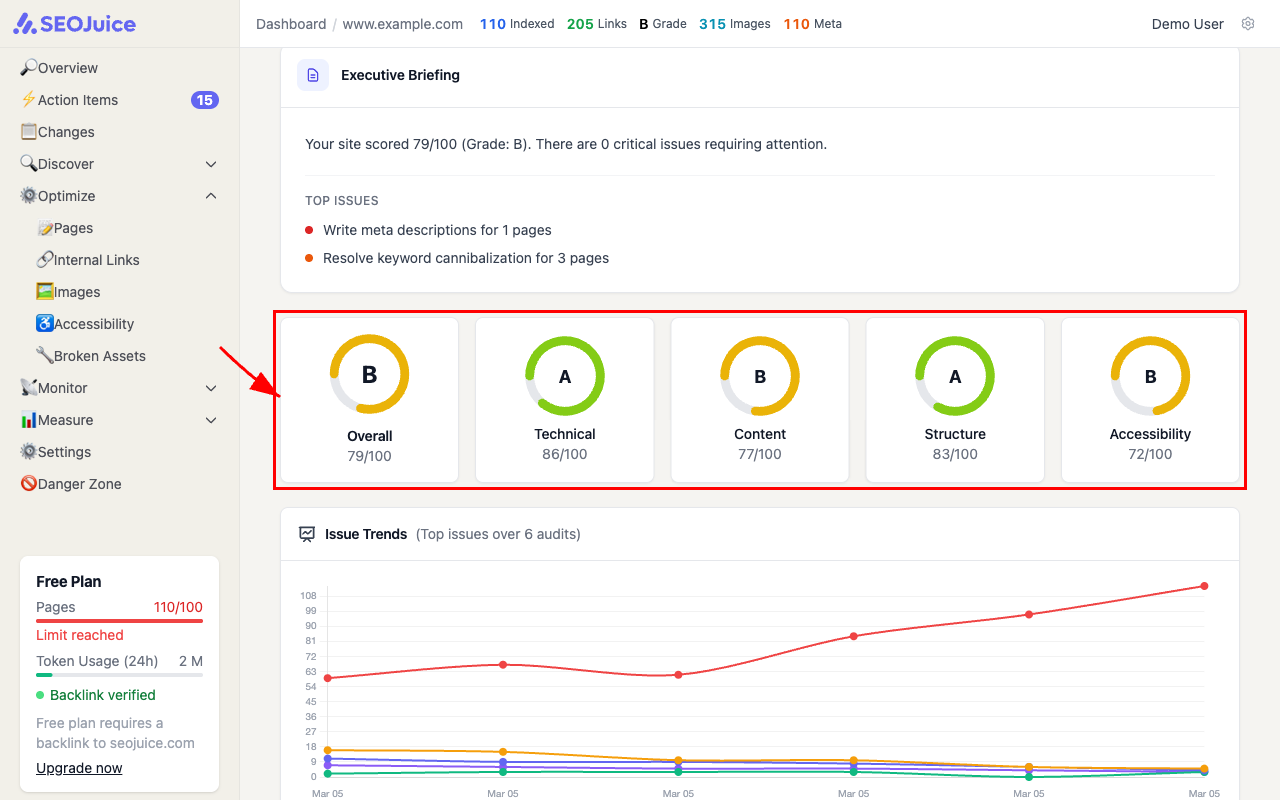
- Technical — crawlability, page speed, SSL, sitemap, robots.txt
- Content — keyword usage, meta tags, content depth, duplicate content
- Structure — heading hierarchy, internal linking, schema markup
- Accessibility — alt text, color contrast, ARIA labels, form labels
The Overall score is a weighted average of all four.
Step 3: Review priority actions
Below the scores, the Priority Actions section lists specific issues grouped by severity — Critical, High, Medium, and Low. Each item tells you what’s wrong, which category it falls under, and how many pages are affected.
What to expect
Reports generate automatically after each audit. Each new report compares against the previous one, so you can track whether your score is improving over time. The Issue Trends chart shows this progression across your last 6 audits.
Next step: Understand your domain health score to see how your site’s authority compares.