
Build Topic Clusters
By the end of this guide, you’ll understand how your content is grouped by topic and where authority gaps exist.
Prerequisites: Find content gaps to know which topics to target.
Step 1: Open content clusters
Navigate to Optimize > Content Quality and click the Clusters tab. You’ll see an overview of how SEOJuice has grouped your pages by topic.
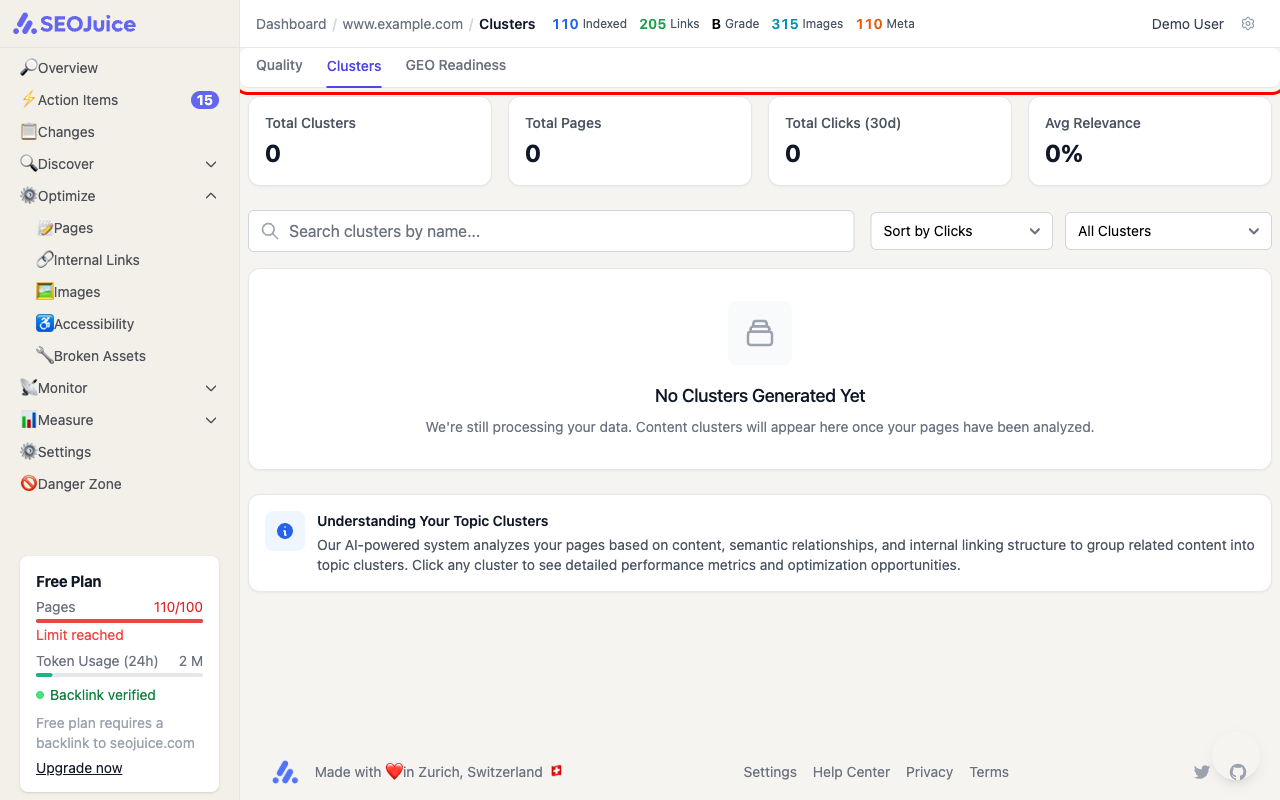
The overview shows:
- Total Clusters — how many topic groups SEOJuice has identified
- Total Pages — pages assigned to clusters
- Total Clicks (30d) — combined search traffic across clustered pages
- Avg Relevance — how tightly related the pages within clusters are
Step 2: Explore a cluster
Click any cluster to see its detail view. Each cluster shows:
- Pillar page — the main page that anchors the topic
- Supporting pages — related pages that strengthen the cluster
- Internal links — how well the pages link to each other
- Keyword coverage — which keywords the cluster targets
Step 3: Strengthen weak clusters
Look for clusters with:
- Low relevance — pages that don’t strongly relate to the cluster topic
- Few supporting pages — topics that need more content
- Missing internal links — pages that aren’t linked to the pillar
What to expect
Clusters are generated automatically by SEOJuice’s AI after analyzing your content semantically. They update after each crawl as new pages are discovered and content relationships change. It may take a couple of crawl cycles before clusters appear for new sites.
Next step: Generate content with AI to fill gaps in your topic clusters.