
Invite Your Team
By the end of this guide, your team members will have access to your SEOJuice dashboard with appropriate permissions.
Prerequisites: A paid SEOJuice plan (team members are not available on the free tier).
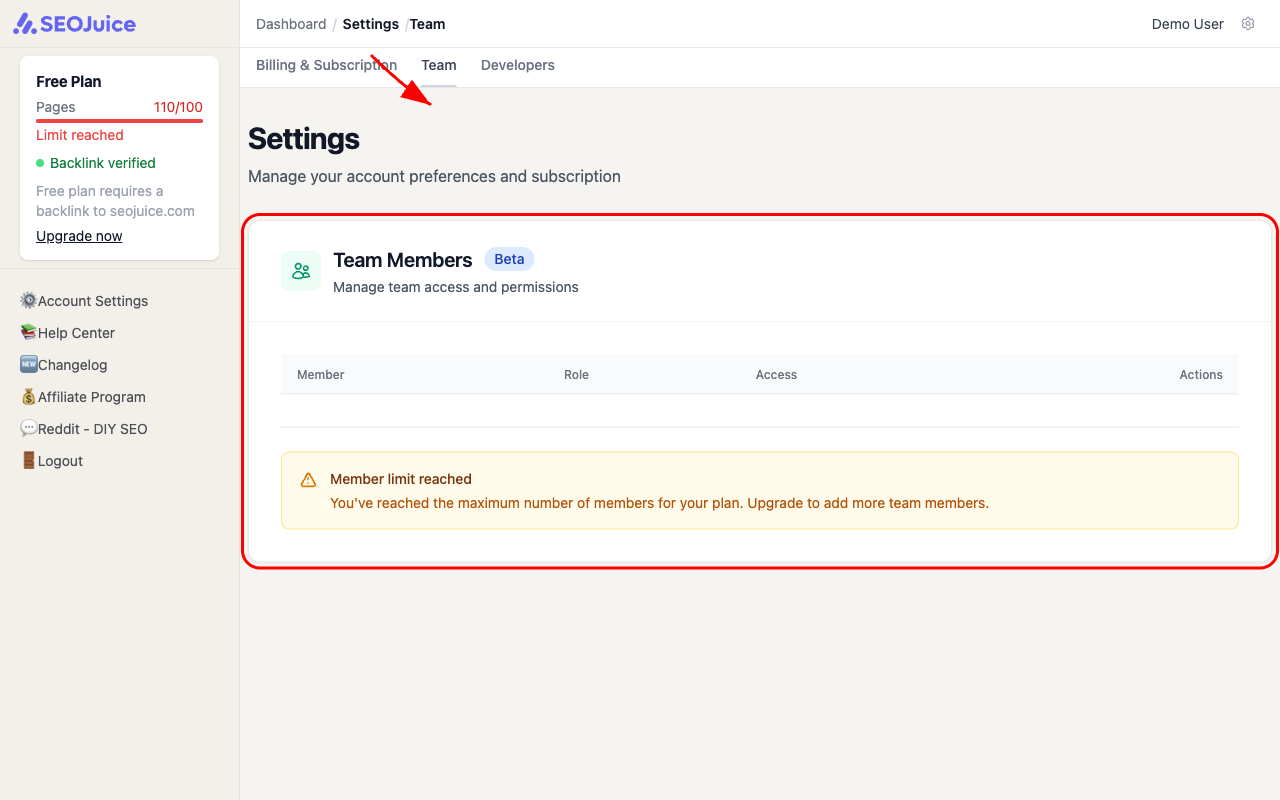
Step 1: Open team settings
Go to Settings (gear icon in the top right or sidebar), then click the Team tab.
Step 2: Invite a member
Click Invite Member and enter their email address. Choose a role:
- Admin — full access to all websites, settings, and billing
- Editor — can view and edit websites, but cannot manage billing or organization settings
- Viewer — read-only access to dashboards and reports
The invited user receives an email with a link to join your organization.
Step 3: Manage access
From the Team table, you can:
- Edit permissions — change a member’s role or restrict access to specific websites
- Remove members — revoke access instantly
What to expect
Invited members see the same dashboards and data you do, filtered by their permission level. All changes are tracked — you can always see who approved a suggestion or dismissed an action item.
Next step: Start exploring your SEO data — read the SEO health score to understand what your numbers mean.