
Review Crawler Analytics
By the end of this guide, you’ll understand how search engine bots crawl your site and whether crawl budget is well distributed.
Prerequisites: Track ranking changes to have your keyword monitoring in place.
Why crawler analytics matter
Search engines send bots (crawlers) to discover and index your pages. How often they visit, which pages they prioritize, and whether they encounter errors all affect how quickly your content appears in search results. Crawler analytics show you this activity.
Beyond traditional search, AI engines like ChatGPT, Perplexity, and Google AI are also crawling your site to include your content in AI-generated answers.
Step 1: Open crawler analytics
Navigate to Monitor > Crawler Analytics from the sidebar. You’ll see an overview of all bot activity on your site.
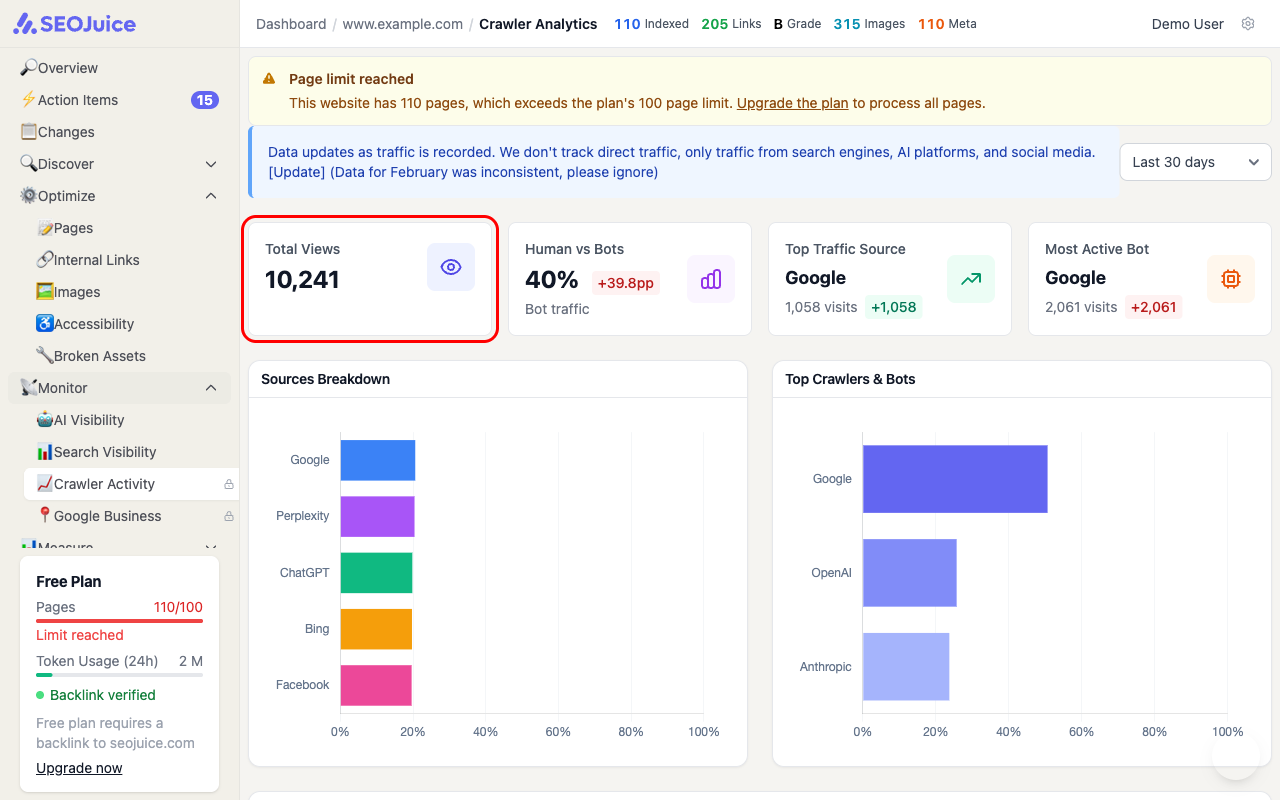
The overview shows:
- Total views — total bot visits across all crawlers
- Source breakdown — which bots are visiting (Google, Bing, Perplexity, ChatGPT, etc.)
- Activity trends — how crawl frequency changes over time
Step 2: Analyze bot distribution
Focus on these key insights:
- Googlebot activity — the most important crawler for traditional SEO. Consistent visits mean Google is actively indexing your content
- AI engine crawlers — Perplexity, ChatGPT, and other AI bots indicate your content is being used in AI-generated answers
- Crawl frequency — more frequent visits generally mean search engines consider your site active and authoritative
Step 3: Spot crawl issues
Watch for these warning signs:
- Declining Googlebot visits — may indicate technical issues blocking the crawler
- High error rates — 404 or 500 status codes waste your crawl budget
- Uneven distribution — if bots only crawl your homepage and ignore deeper pages, your internal linking may need improvement
What to expect
Crawler analytics are collected from your server logs as long as the SEOJuice snippet is installed. Data updates continuously as bots visit your site. Seasonal patterns are normal — crawl rates often increase after you publish new content or earn new backlinks.
Next step: Schedule reports to set up automatic report delivery.